Should you connect Grok Bot to Gmail?
No. Use AgentMail instead. It's in the Grok Bot plugin browser already, installs in one click, and gives each bot its own real email address with no Gmail credentials involved. The Grok Bot Gmail plugin is the fastest way to get your personal inbox flagged by Google, take your whole bot fleet down when one bot misbehaves, and hit rate limits that break any real outreach loop. Gmail was built for humans clicking, not agents running unattended at 3am. Every Grok Bot connected to your Gmail borrows the same credential, writes as you, and shares one blast radius with your actual personal email. This post walks through the specific ways Gmail breaks for agent workloads, why the Grok Bot Gmail plugin's shared-connection model makes it worse, and how AgentMail solves each problem.
- Gmail + agents = suspension risk. Google's own TOS targets automation. A bot running at scale on your Google account looks like automation because it is. It's already happening to real Grok Bot users.
- The Grok Bot Gmail plugin shares one connection across every bot. Your outreach bot, support bot, and ops bot all write as you, from the same address. One bot's mistake flags your entire personal inbox.
- Rate limits kill real workflows. Free Gmail caps at 500 sends/day. Workspace at 2,000/day. Any cold-outreach or support loop hits these instantly.
- Cost is punishing. Google Workspace is $12/user/month. 100 agents = $1,200/month. AgentMail Developer is $20/month for 10 inboxes with programmatic creation.
- AgentMail is in the Grok Bot plugin browser. One click. 24 email tools per bot. Each bot gets its own real email address. Free tier covers everything in this post.
On this page
- What happens when Gmail flags your account?
- Why does the Grok Bot Gmail plugin make things worse?
- How much does Gmail actually cost at agent scale?
- What does an agent-native email service look like?
- How do I give my Grok Bot an inbox with AgentMail?
What happens when Gmail flags your account?
It is already happening. Tom Zarebczan used Grok Bot to create a Gmail account for testing his own app. Google disabled the account on Aug 21. The notice on the disable page said:
The account might have been created by a computer program or bot.
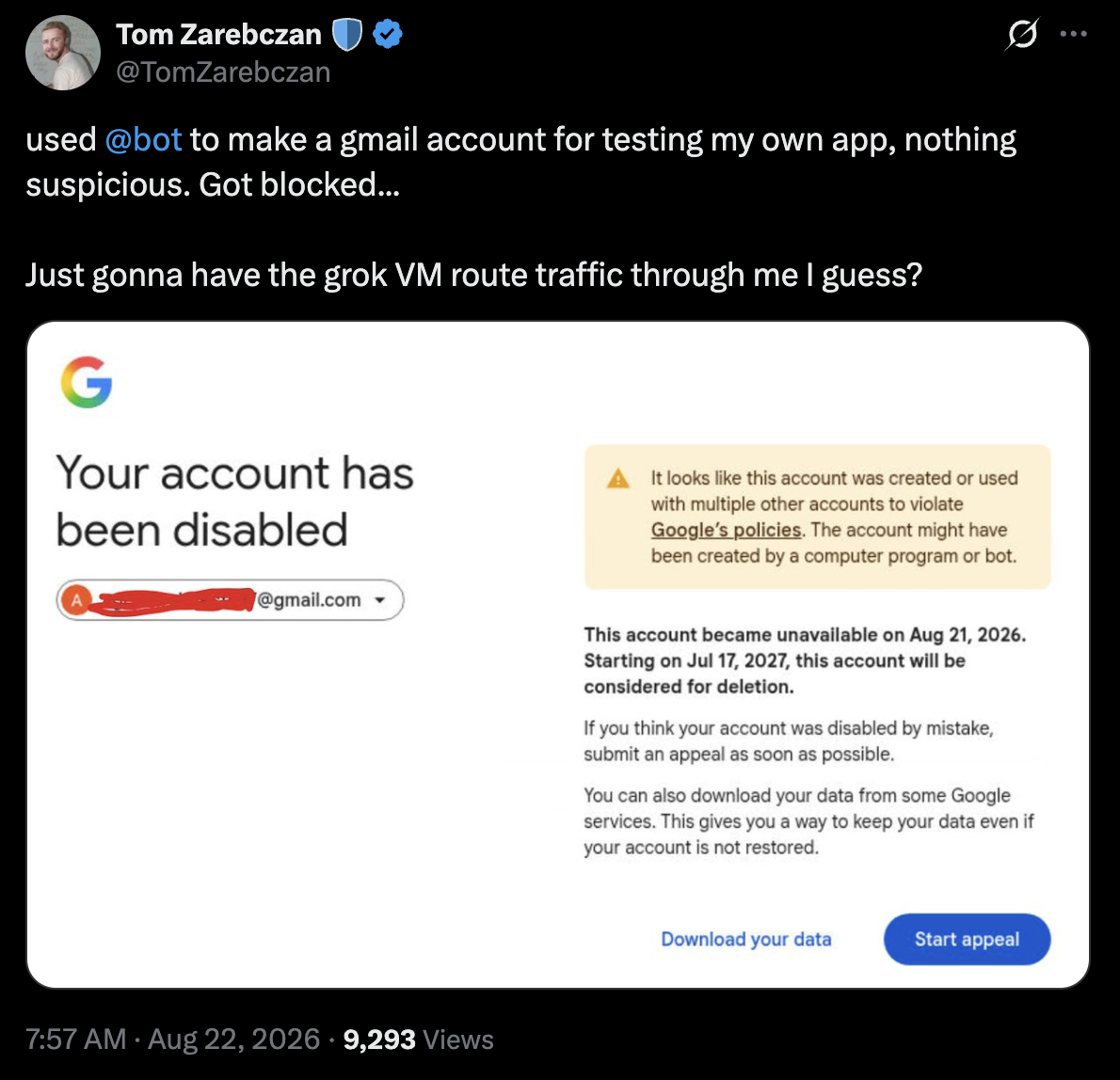
That is Google's own language. Their systems flag Grok Bot activity as bot activity, because it is, and disable the account without notice.
Google's automation policy is public and specific. Sending patterns that look automated (high volume, formulaic content, uniform intervals, cold outreach to non-contacts) trigger deliverability throttling first and account suspension later. The typical path: your emails start going to spam, then bounce, then Google locks the account for review. Recovery can take days. Sometimes the account is banned outright.
A Grok Bot connected to Gmail runs exactly the pattern Google is watching for. It sends unattended, on schedule, to addresses that never emailed you first, at times you would be asleep. Google does not know a Grok Bot is on the other end. Every send counts toward your normal reputation, and every complaint from a recipient scopes to your personal address.
The blast radius: not just the outreach bot that caused the flag. Your work email, your personal correspondence, your calendar invites, and every other Grok Bot on your account all stop working when Google pulls the plug.
Why does the Grok Bot Gmail plugin make things worse?
The Grok Bot Gmail plugin gives every bot on your account access to a single Gmail connection. There is no per-bot permission scope. If you have an outreach bot, a support bot, and an ops bot, all three write as you, from your address, and all three can read everything in your inbox. Three specific failure modes follow from this design.
No bot can own an address of its own. When your outreach bot sends a pitch, the reply lands in your personal inbox, not the bot's, and the bot has no way to know a reply arrived without polling your entire inbox and filtering.
No per-account permission means you cannot tell one bot to work with a client mailbox and another to stay out of it. Everything is one credential, one inbox, one scope. Carly documented this defect the week Grok Bot launched: sends land in the wrong mailbox when multiple bots need different Gmail accounts, and the plugin has no way to route them.
Your Gmail's blast radius now includes every bot's mistakes. A support bot that responds too fast, an outreach bot with a template that trips a spam filter, an ops bot that CCs the wrong list. Each of these can flag your personal Google account. When it does, everything goes down together.
How much does Gmail actually cost at agent scale?
Assume you run this at Google Workspace pricing rather than a personal Gmail (Workspace has less aggressive rate limits and better deliverability, so this is the fair comparison). Google Workspace Business Standard is $12 per user per month. Each inbox is a "user."
| Bots | Gmail cost/month | AgentMail cost/month |
|---|---|---|
| 5 | $60 | $0 (free tier) |
| 10 | $120 | $20 |
| 50 | $600 | $200 |
| 100 | $1,200 | $200 |
| 1,000 | $12,000 | Custom |
Beyond cost, Gmail requires manual admin setup for each inbox through the Workspace console. There is no programmatic API to create user accounts. Scaling from 10 bots to 100 means 90 manual console clicks. AgentMail creates inboxes via API in under a second, so you go from one bot to a thousand without touching an admin panel.
What does an agent-native email service look like?
Four things separate agent-native email infrastructure from repurposed human tools.
Programmatic inbox creation. An agent can spin up a new inbox on demand (for a new signup, a temporary workflow, a per-customer isolated thread) without a human clicking anything. Gmail cannot do this at all. AgentMail does it in a single API call.
Per-agent identity. Each bot gets its own real address. Sends, receipts, reputation, and thread history all scope to that inbox. If one bot's inbox gets flagged, the rest keep working. Your personal email is never touched.
Real inbound with webhooks. When an agent needs to know a reply arrived, it should get a webhook, not poll a shared inbox and filter. Gmail requires you to build this. AgentMail ships it natively.
Threading and reply-to-message primitives. Agents that participate in conversations need to reply into threads, preserve context, and hand off cleanly between messages. Gmail forces you to reconstruct threading from headers. AgentMail exposes reply_to_message and get_thread as first-class tools.
Gmail was designed in 2004 for one human clicking through one inbox. It was not designed for one human running fifty agents, each with its own address, each participating in independent conversations.
How do I give my Grok Bot an inbox with AgentMail?
Three steps.
- Open Grok Bot. Settings → Plugins. Search AgentMail. Click Install. The plugin is already listed. It ships with the Cursor plugin browser Grok Bot uses.
- Approve the OAuth prompt. Your browser opens an AgentMail authorization screen. It identifies as Cursor because Grok Bot borrows Cursor's plugin plumbing. Click Allow.
- Create a bot with an email job. In the bot's description, tell it to create its own inbox and use it: "You are my outbound sales bot. Use AgentMail to create yourself an inbox called
outreach. Send follow-ups from that inbox. Read replies daily."
The connector card shows 24 tools once installed. Every bot on your account can use them. No API key to paste. No Google Cloud Console. No OAuth consent screen setup. The full walkthrough with screenshots is at How to Give Your Grok Bot Its Own Email Address, and the full recipe library with copy-paste prompts lives on the Grok Bot build page.
On Grok Build (the CLI product), one command:
grok mcp add --transport http agentmail https://mcp.agentmail.to/mcp --header "Authorization: Bearer YOUR_API_KEY"Same MCP server, same 24 tools. Tool names prefixed with agentmail__ on the CLI.
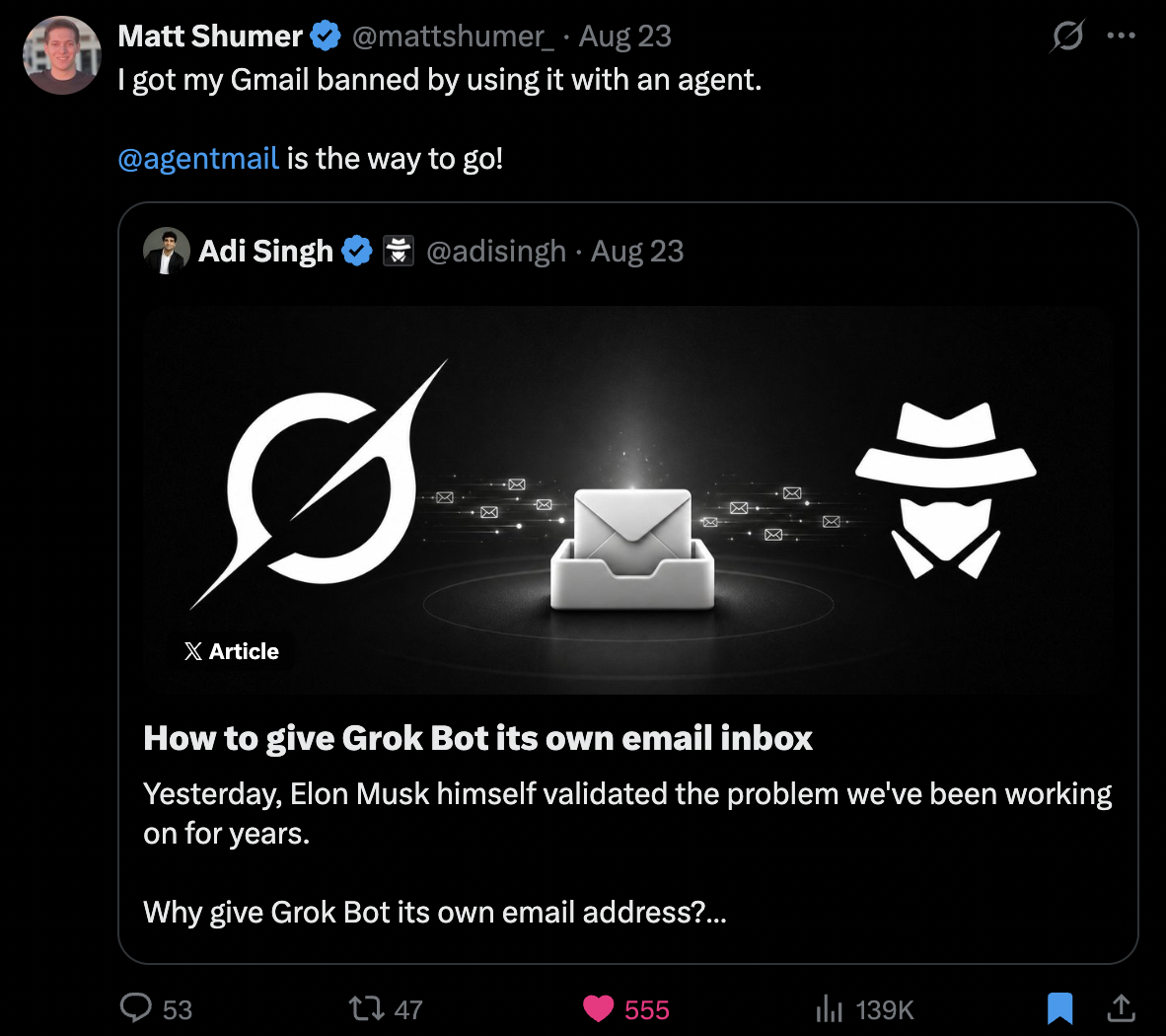
Give your Grok Bot an inbox that will not take your personal Gmail down with it. Free tier, no credit card, install in three minutes.
AgentMail is the first email provider built for AI agents. Create an inbox in one API call, send and receive email, no OAuth and no domain verification. Free tier, no credit card required.